
How to Successfully Migrate SAP UI5 Applications from On-Premise to SAP BTP


Those undergoing digital transformation often rely on SAP BTP. But how can the migration of SAP UI5 applications from an on-premise environment to this cloud platform be achieved? In part 4 of our series on SAP BTP, we will show you exactly that.
Digital transformation increasingly requires companies to shift their existing systems, data, and applications to the cloud. With SAP, there is no way around the SAP Business Technology Platform (SAP BTP). SAP BTP offers numerous advantages such as scalability, cost efficiency, and a modern development environment.
However, companies hesitate due to concerns about the effort and risk of migration. This is often unfounded, and how a move of SAP UI5 applications from on-premise to this cloud platform can be smooth and efficient is what my colleague Reiner Eberhard and I would like to explain to you. First, it is worth taking a look at the theory.
What the theory says
Many paths lead to Rome. Besides the standardised SAP Activate method for SAP implementation processes, SAP customers often face the question of whether and how certain developments can be migrated. On paper, there are clear, important steps you should take to ensure the migration is a success. It is no different with SAP BTP.
Step 1: Basic Understanding and Planning
Before you start the actual migration, you should know the differences between the on-premise infrastructure and the SAP BTP environment (more on this in our previous posts 1, 2 and 3).
While on-premise solutions are often operated in one's own data centre, SAP BTP offers a cloud platform that provides various services and tools for developing, integrating, and managing applications.
So consider important planning aspects in your considerations:
- Define your goals! What do you want to achieve with the migration? Better scalability, easier maintenance, or the use of new technologies?
- Know what you have! Which SAP UI5 applications are to be migrated? What dependencies and integrations exist?
- Plan your resources!Ensure that you have the necessary resources (team, time, budget) available.
Step 2: Preparation of the Existing SAP UI5 Application
A successful migration begins with thorough preparation of the existing application. Keep the following in mind:
- Analyse and clean the code! Check your code for dependencies that may not be available in the SAP BTP environment. Old or unnecessary code components should be removed to make the application leaner and more performant.
- Use OData services! Since SAP BTP is based on open standards, your applications that access SAP OData services should be relatively easy to integrate into the new environment.
- Check the UI5 version! Ensure that your application runs on the latest version of SAP UI5. This facilitates the transition, as newer versions are often better compatible with BTP.
Use APIs (…and keep the core clean)!Ensure that all APIs used are also available in the BTP or adjust the code accordingly.
Step 3: Setting Up the SAP BTP Environment
Before you migrate your application to the cloud, you need to set up the SAP BTP environment and take a look at the following aspects:
- Create a BTP subaccount! Creating the subaccount with the selection of a data centre is the central starting point for your migration. Here, all necessary resources, such as applications, services, and databases, are managed.
- Set up Cloud Foundry or Kyma including all permissions! Choose the appropriate environment in SAP BTP to host your applications. Cloud Foundry is a standard environment for container-based development and operation of applications, while Kyma is a Kubernetes-based environment that offers more flexibility.
- Activate the necessary services! Activate the required services such as the SAP HANA database, the SAP Business Application Studio or Build Code, or SAP Connectivity to support development and integration.
Deploy SAP UI5 libraries! Ensure that the necessary UI5 libraries are available in your BTP environment.
Step 4: Migration of the SAP UI5 Application
Once everything is prepared, it is time to carry out the actual UI5 migration in this step. The process can proceed as follows:
- Use the SAP Business Application Studio or Build Code! This service provides an integrated development environment that simplifies the transition from on-premise to BTP. It allows you to transfer and adapt the code directly to the BTP.
- Adjust the configurations! When adjusting the configuration files (e.g. Manifest.json), do not forget to consider the BTP environment. This concerns, for example, URL endpoints, authentication methods, and service references.
Deploy! Upload the adapted application to the cloud. This can be done directly through the development environment or via command-line tools such as the Cloud Foundry CLI.
Step 5: Security and Permission Management
Security is a central aspect of migration. Keep the following points in mind:
- Identity Management: Integrate your application with the SAP Identity Authentication Service (IAS) or another identity provider to ensure secure authentication and authorisation.
Roles and Permissions: Review and redefine the roles and permissions in the BTP to ensure that all users have the correct access rights.
Step 6: Testing and Optimising
After migration, the application should be thoroughly tested:
- Functionality tests: Check whether all functions of the application work as desired.
- Performance tests:Measure the performance of the application in the cloud environment and optimise the code or database accesses if necessary.
Troubleshooting: Use the integrated monitoring and logging tools of SAP BTP to quickly identify and resolve potential issues.
Step 7: Operation, Maintenance, and Further Development
After successful migration, it is important to monitor, regularly check, and further develop the application. The following points may be significant:
- Continuous Monitoring: Use the monitoring tools available in BTP or SAP Cloud Application Lifecycle Management (CALM) to monitor the application and continuously check for errors or performance issues.
- Automated Updates: Take advantage of the ability to automatically update applications in the cloud and continuously improve them.
- Scaling: Adjust resources flexibly to meet demands to ensure the application's performance.
Continuous Optimisation: Use the flexibility of the cloud to continuously make improvements and updates to your UI5 application.
Implementation in Practice:
Considering all the points mentioned initially can become very time-consuming and complex.
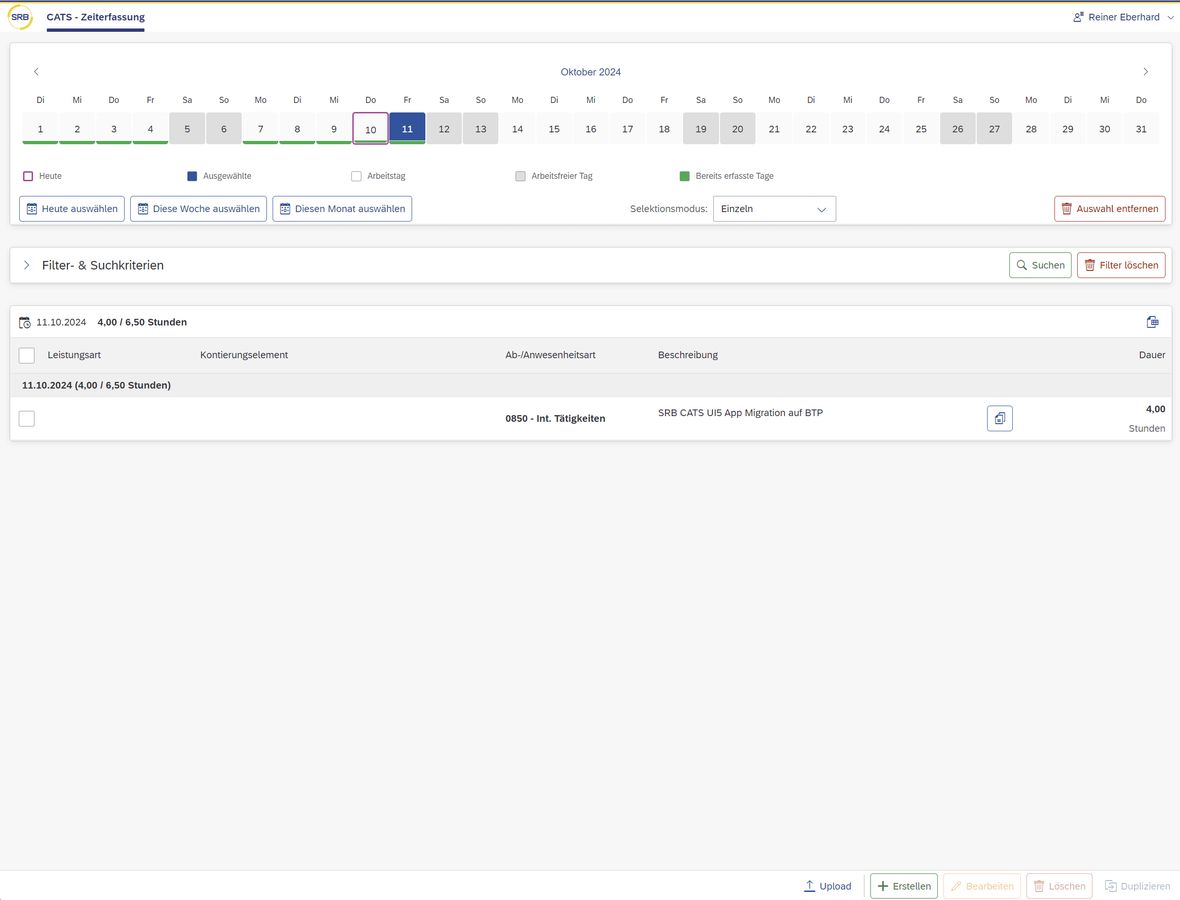
In the following, we will show you an example of how a migration can still be carried out easily when following the steps outlined above. Specifically, this concerns the migration of an SAP UI5 application for time recording (CATS) with an OData interface of an S/4HANA on-premise system.
The solution diagram for this:
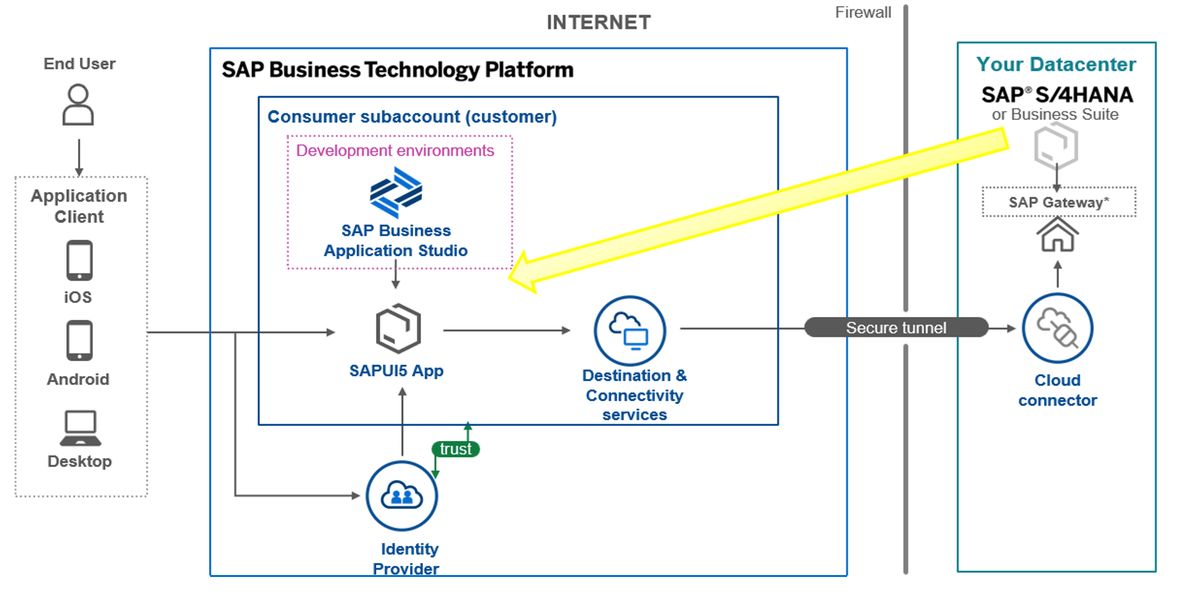
The goal was to migrate the originally developed on-premise SAP UI5 application with WebIDE to BTP Cloud Foundry, to make it easily available to external users in the future.
In doing so, several advantages were hoped for, foremost…
- Scalability: The cloud allows for easy scaling of applications to meet the changing demands of your business.
- Reduced Maintenance Effort: Since the infrastructure is managed by SAP, you can focus on further developing your applications.
- Enhanced Functionalities: SAP BTP offers a variety of services and tools that can extend and improve your applications, such as artificial intelligence, machine learning, and advanced analytics. On the way to migration, the starting point was examined closely:
- OData service and SAP UI5 application for frontend server in the ABAP on-premise backend existed.
- SAP UI5 code was stored in a GitHub repository (alternatively, downloading the SAP UI5 application from the ABAP backend and a corresponding import would have been possible.Info here).
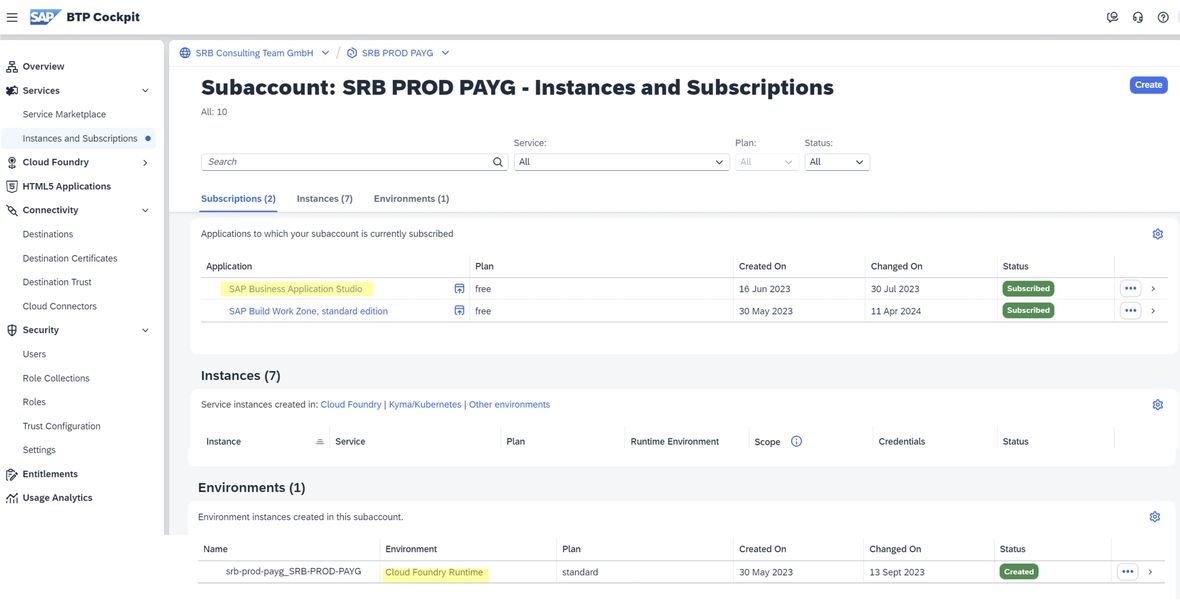
- BTP global account and BTP subaccount with Cloud Foundry environment + SPACE and Business Application Studio (BAS) or Build Code are set up:
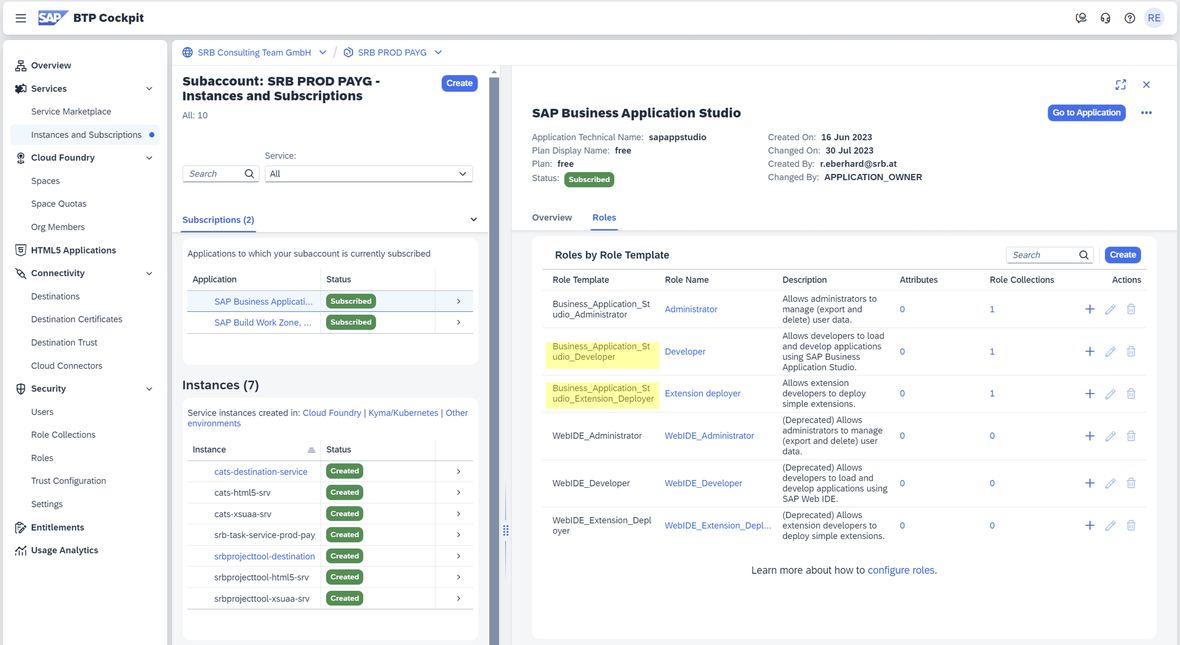
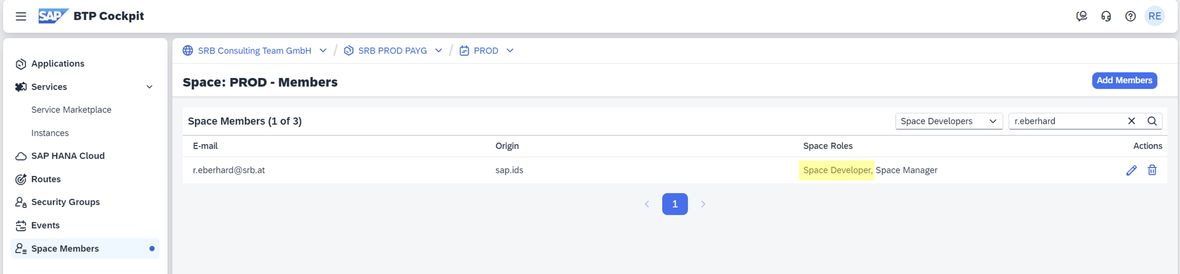
- Permissions for BAS (Business_Application_Studio_Developer & Business_Application_Studio_Extension_Deployer) and Cloud Foundry space deployment (Space Developer) are set up:
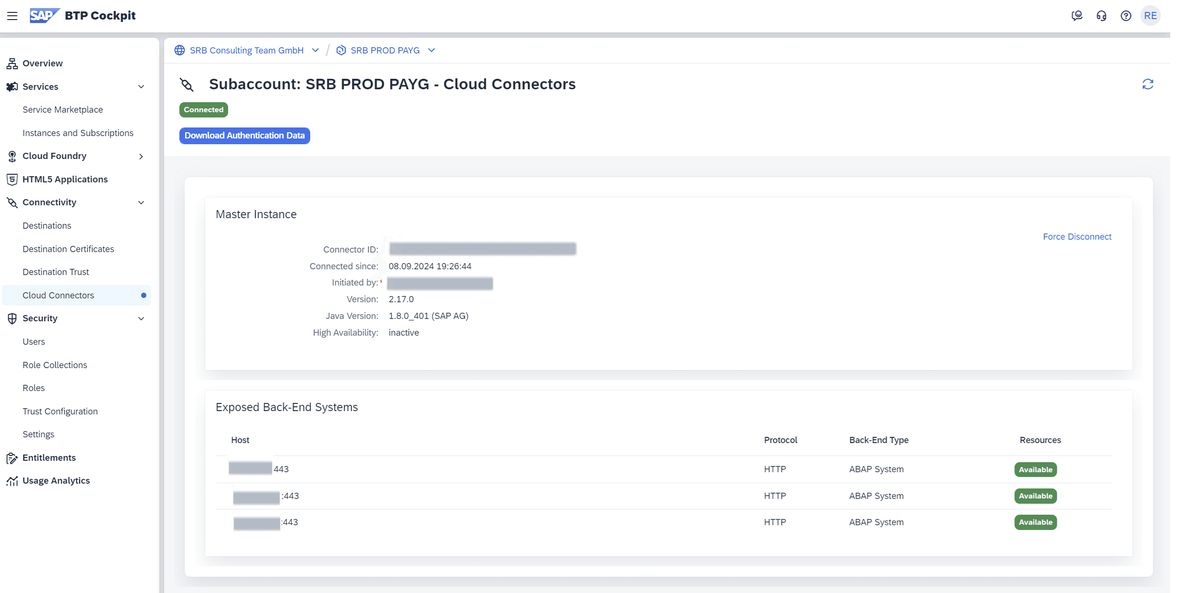
- On-premise Cloud Connector connection for principal propagation from the BTP subaccount to SAP ABAP on-premise backend (S/4HANA) is set up:
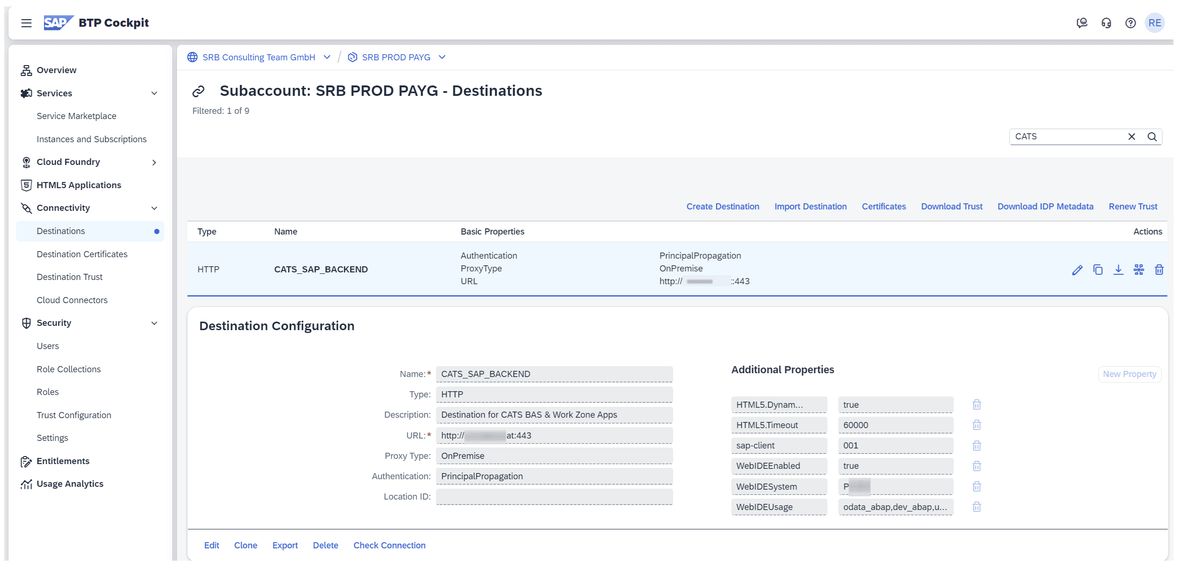
And now the UI5 app migration to SAP BTP – a success in individual steps The first step was to create a BTP destination for the application via Cloud Connector to the on-premise OData service (additional parameters can be found here).
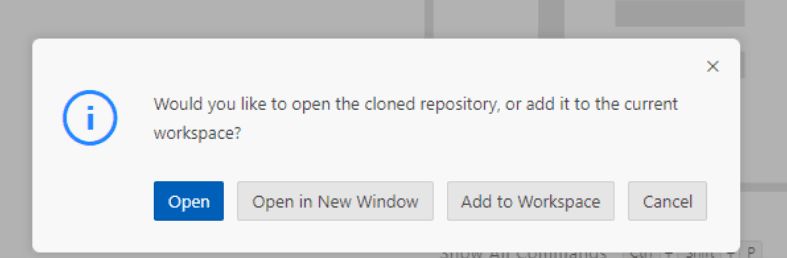
In the next step, the adjustments of the UI5 package in the Business Application Studio (BAS) were made: Clone repository from the GitHub server and open repository:
- Clone repository from the GitHub server and open repository:
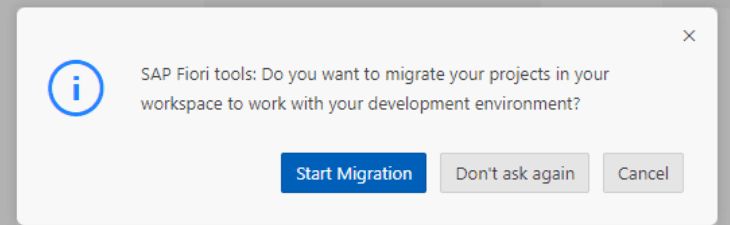
- Start migration
- Check or change settings, e.g. SAPUI5 version:
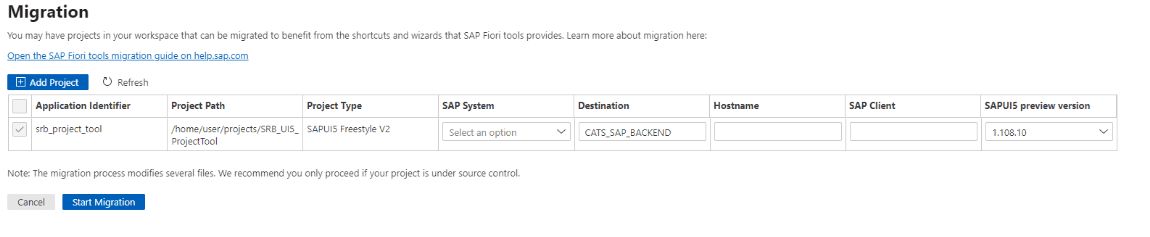
After successful migration, necessary files were automatically created or updated…
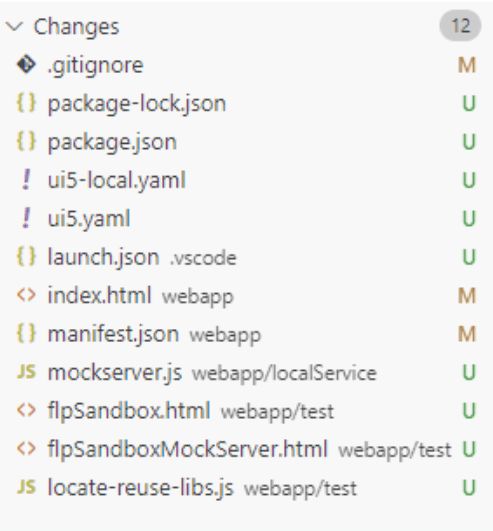
…so that we could deal with the…
Build of the application in BAS via terminal interface.
The following adjustments were necessary here:
- npm run deploy-config: This automatically creates the required files such as mta.yaml.
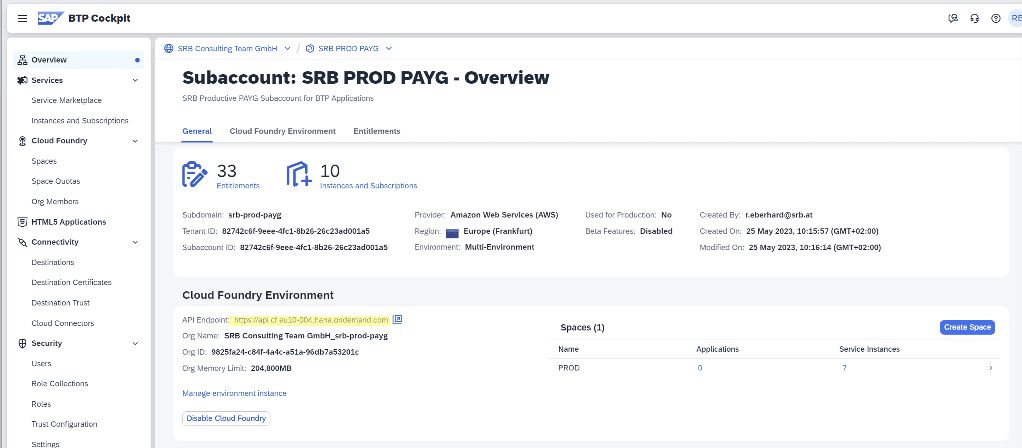
- cf login [-a API_URL]: This logs into the subaccount and the Cloud Foundry environment. The information for the Cloud Foundry API_URL can be found, for example, in the BTP cockpit and subaccount. Then, enter your credentials and select the desired space if necessary:
- npm run build: Creates the application from the 'webapp' folder.
- npm run build:mta: Creates the mta_archives folder with the ***.mtar file needed for deployment.
The deployment of the application to the BTP Cloud Foundry subaccount was done with npm run deploy.
This deploys the app to the BTP in the space of the Cloud Foundry environment.
… and test for successful completion:
The call and function of the successfully deployed application can be tested via the generated link from the BTP cockpit:
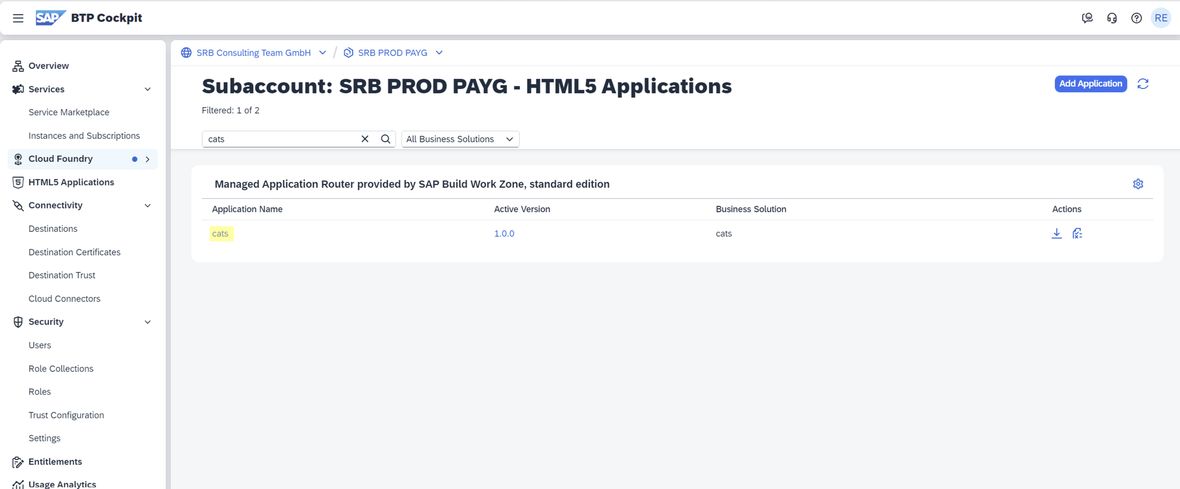
Login with identity provider and data exchange via the destination to the SAP backend OData service with principal propagation:
Our conclusion
The migration of an SAP UI5 application from on-premise to SAP BTP may seem complex at first glance, but with a structured approach and the right services, the process can be significantly simplified.
The advantages of such a migration – from higher scalability, future-proofing to reduced operating costs – are compelling. Companies that take this step ensure they remain competitive in an increasingly digital world and can fully leverage the opportunities of cloud technology.
If you wish, we would be happy to take this step with you.Simply contact us without obligation.
All parts of the series
Here is part 1 of the series on SAP BTP and the Introduction to the Platform.
Here is part 2 of the series on SAP BTP and the topic SAP BTP Integration Suite.
Here is part 3 of the series on SAP BTP and the Examination of the Platform with Different Roles.


