
SAP Joule Studio in Practice: How to Easily Create Skills for Business


In the business environment, digital assistants are here to support complex workflows and processes. But do they struggle with some simple everyday tasks? Or not?
Digital assistants are incredibly helpful in the business environment: they can support complex processes, automatically prepare reports, and optimise resources in customer service.
But then there are these small moments when one wonders in everyday business: Why doesn't this just work? A very simple example: the weather. When I ask Alexa, Siri, or Google about the weather in Vienna or Graz, I get an immediate answer. So why not in SAP?
The tool of choice in SAP is SAP Joule. In this development environment, tailored skills and AI agents can be built. Of course, SAP Joule is not a classic consumer assistant, and the comparison with Alexa is therefore not entirely fair. SAP Joule exists in a different context: business processes, company data, permissions, SAP applications, and productivity in daily work.
And it was precisely in this latter aspect that I became curious: Why shouldn't Joule also be able to gain additional capabilities if they make sense in the respective corporate context and enhance productivity?
A test case
This is where SAP Joule Studio, practically the co-pilot of SAP, becomes exciting. I wanted to know more and therefore delved deeper into it over the past few weeks. The goal: to build my own skills that make my daily work easier. Not as a purely theoretical demo, but concrete use cases:
- a weather skill that queries current weather data for a city.
- a calendar skill that reads appointments from the SAP Sales and Service Cloud.
Furthermore, the Joule deployment should occur centrally in the SAP landscape so that the functions can also be used in connected SAP products like SAP S/4HANA Cloud.
I'll give it away: The result feels a bit like giving SAP Joule new tools. But let's first take a step back and look at SAP Joule Studio in detail.
What is SAP Joule Studio?
In short: With SAP Joule Studio, you can create your own skills for Joule. These skills can use external APIs, SAP services, or your own business logic, thereby extending SAP Joule with capabilities that are not available in the standard.
Overall, these skills follow the classic schema of AI assistants.
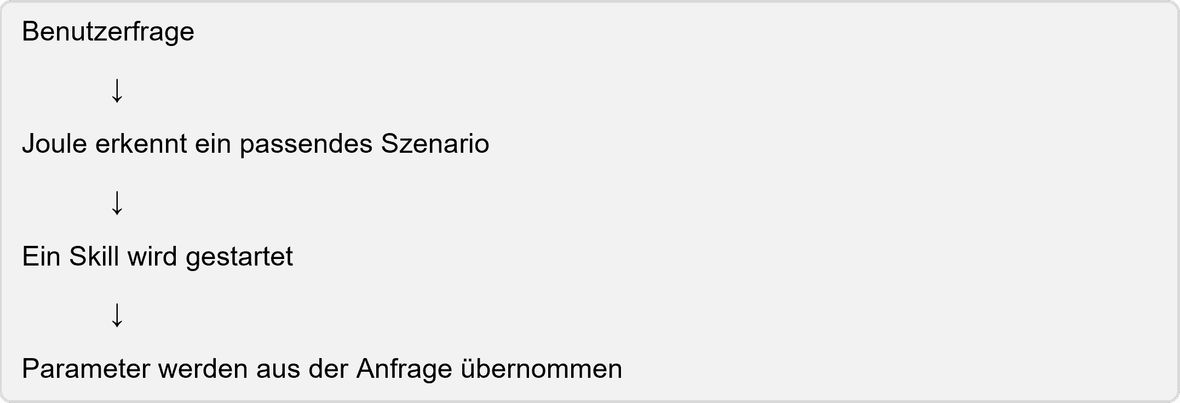
Technically translated, a skill in SAP Joule Studio typically consists of several components.
- Trigger: This defines when a skill is started. This can happen directly by the user or by SAP Joule when the request semantically fits the skill.
- Action: These contain the actual logic. In my examples, these are HTTP GET calls against a weather API or against the appointment service of the SAP Sales and Service Cloud.
- Parameter: These pass information from the user query to the action. For the weather skill, this is, for example, the city. For the calendar skill, date, date range, or other filters may be relevant.
- Response Configuration: This decides how the result is presented: as text, card, list, or structured response.
Additional bonus: By integrating SAP Joule in the AI portal, the skills can be centrally provided and used in Joule-enabled SAP applications.
APIs as the Key to Success
For SAP Joule to not only respond through a skill but actually do something, it needs a connection to a system, service, or data source. This is where APIs come into play. Their importance cannot be underestimated.
An API, or Application Programming Interface, is simply put a defined interface through which systems can communicate. One system provides certain functions or data, and another system retrieves this in a controlled manner.
We encounter this principle constantly in everyday life, even if we are mostly unaware of it. A weather app retrieves weather data via an API. An online shop checks the availability of a product via an API. A CRM system provides customer data through an API. An SAP system offers services to query business partners, appointments, documents, or orders.
This also applies here. Without APIs, any skills would be doomed to fail.
Use Case 1: Weather Skill
My first skill was deliberately chosen to be simple: a weather skill. The idea is quickly explained. The user asks Joule, for example:
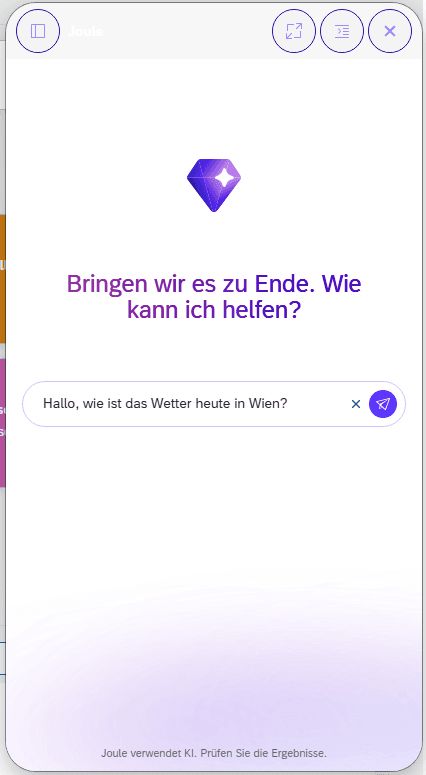
Without a custom skill, SAP Joule can initially do nothing meaningful with this in my setup. After all, SAP Joule is not automatically a weather assistant.
With a custom skill, it looks different: The skill takes the city as a parameter, calls a weather API, and returns the current conditions. In my example, I worked with an OpenWeatherMap integration. The action is modelled as a GET request and contains a parameter for the city.
The technical call looks simplified like this:

The parameter {City} is determined from the user query. If the user asks about Vienna, Vienna is passed to the API. If the user asks about Graz, then Graz.
The API returns structured JSON data, such as temperature, humidity, weather description, coordinates, and other technical details.
A highly simplified excerpt looks like this:
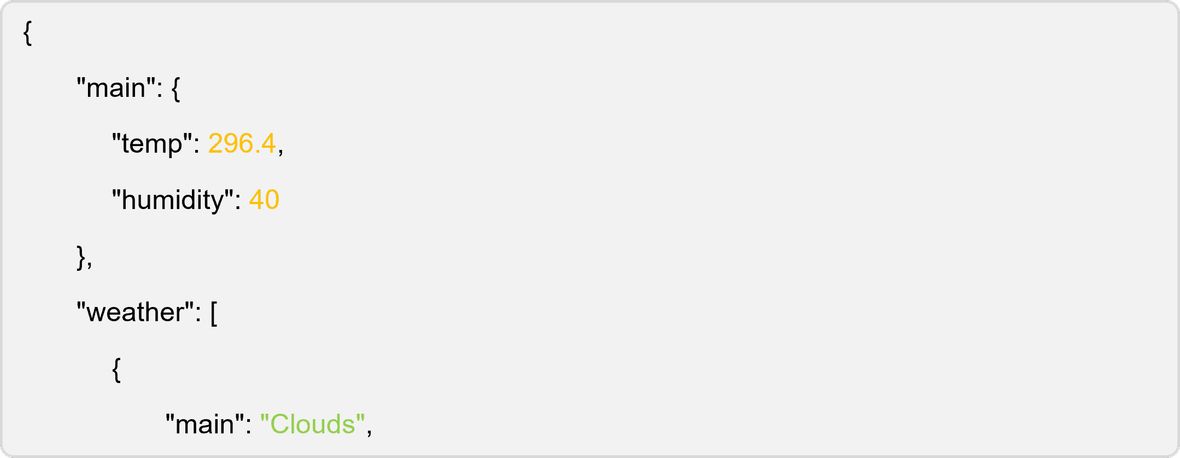
These technical data are, of course, not ideal for end users. No one wants to read raw JSON structures just to find out if they need an umbrella. Therefore, the result is translated back into a natural response and a compact card in SAP Joule.
Here, one can clearly see what SAP Joule Studio enables: The skill is technically an API call with parameter passing and mapping. For the user, however, it feels like a new capability of SAP Joule.
Why the Weather Skill is a Good Use Case
Of course, a weather query is not a classic enterprise process. But that is precisely why this use case is so well suited as an entry point. It is easy to understand, quickly testable, and shows the key concepts of SAP Joule Studio in a compact form:
- natural language as the entry point
- automatic selection of a suitable skill
- extraction of a parameter from the user query
- calling an external API
- processing a structured response
- presentation as a comprehensible SAP Joule response
The principle behind it is much more important than the weather itself. Because the same architecture can be transferred to real business scenarios:
- querying the status of a delivery
- displaying open tickets
- retrieving customer information
- summarising offer data
- searching for service orders
- checking project times
- reading calendar entries from an SAP system
Thus, the weather skill is less the actual business case and more the 'Hello World' for one's own SAP Joule capabilities.
Use Case 2: Calendar Skill
The second skill is much closer to a real SAP scenario: a calendar skill for retrieving appointments from the SAP Sales and Service Cloud. Here, too, the question is simple:
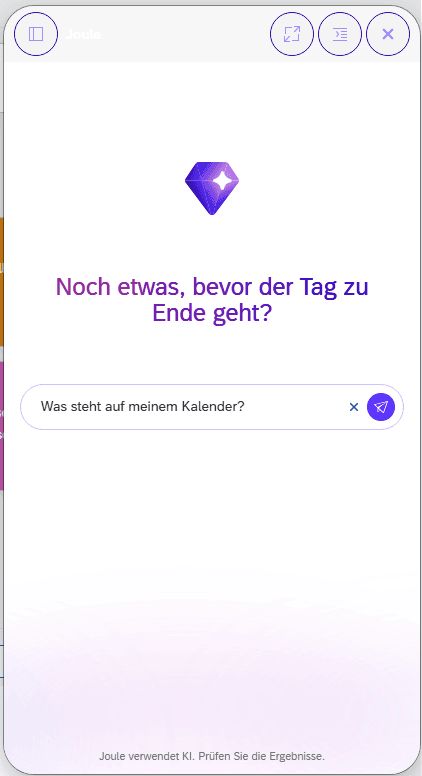
The skill calls the appointment service of the SAP Sales and Service Cloud via an action package. In my setup, a GET action was used for this:

The response contains a list of appointments with fields such as subject, start time, end time, location, status, and other metadata. A simplified excerpt might look like this:
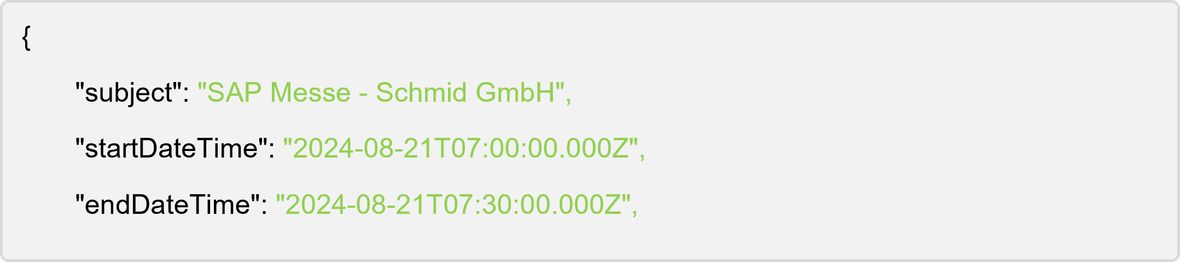
In SAP Joule Studio, this is then configured into a list view. Thus, the user does not receive a technical API response but a readable overview:
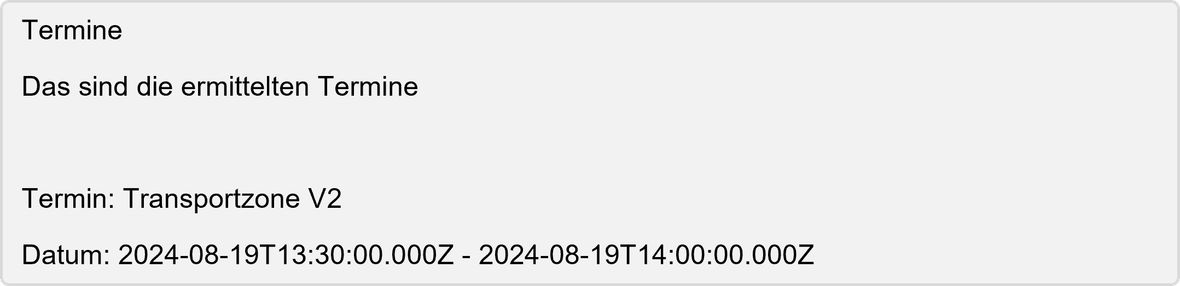
This is not the end of the journey. Especially with calendar data, the skill can be further developed very well:
- filter by 'today'
- filter by date range
- filter by customer
- filter by status
- summary of the day
- preparation for the next appointment
- displaying relevant customer information for the appointment
But even the first version shows very well how SAP Joule can not only respond generically but can actually retrieve company data through a defined, controlled skill.
The real added value: SAP Joule becomes extensible
So what should these two small use cases tell us? For me, it is clear: The exciting point is not that SAP Joule now knows the weather or can display appointments. The exciting point is
:
Joule can be specifically extended with functions through custom skills that fit the company, the system landscape, and the processes.
And that is a significant difference from a pure chatbot. A chatbot can generate text. An SAP Joule skill can perform a concrete action.
It can call an API, process parameters, return data, and present it understandably for the user. This makes SAP Joule not just an interface for questions but an entry point into business processes.
Deployment via Unified Joule
It becomes particularly interesting through deployment in Unified Joule. This means that the developed skills are not only available in isolation in Joule Studio but can be used in many SAP products where Unified Joule is integrated. In my setup, for example, I was able to use the skills in SAP S/4HANA Cloud as well.
But why is this so significant and, in my view, one of the most important points?
A central deployment prevents the need for a separate assistant with separate logic for each system. Instead, skills can be developed, managed, and provided centrally.
This means:

For companies, this is a very strong concept. It reduces redundancy, creates reusability, and makes Joule an overarching extension layer across various SAP products.
Four Essential Tips for Creating Skills with SAP Joule
Creating these small SAP Joule skills has been enjoyable. Moreover, this 'playing around' has provided me with some important insights that were particularly relevant to me. I would like to share my top 4 with you, as I am convinced that these will help you create better skills in SAP Joule:
- Good skill descriptions are importantSAP Joule must understand when a skill is relevant. A good description helps Joule select the skill for appropriate user queries. Especially with multiple similar skills, the description should clarify what the skill is intended for and what it is not.
- Parameter design determines usabilityFor the weather skill, the central parameter is simple: the city. However, for business skills like the calendar example, it quickly becomes more complex. Date, time period, customer, status, organisational unit, or responsible person can be important filters. The cleaner these parameters are modelled, the more naturally the user can interact with SAP Joule.
- Response configuration makes the differenceAn API can respond technically correctly and still be unusable for the user. Only through cards, lists, meaningful titles, and comprehensible texts does a good experience emerge. The difference between raw JSON and a well-presented SAP Joule card is enormous.
- Starting small is worthwhile
A simple GET call with clear output is a good start. After that, filters, error handling, additional parameters, permission logic, and better presentation can be added. All step by step. Especially with Joule Studio, an iterative approach is sensible: first stabilise data access, then improve user experience.
Small skills, big impact
My first experiments with SAP Joule Studio have shown how quickly an idea can become a concrete Joule skill. And more: It already demonstrates the great potential that lies within these skills through these small examples. In the future, users will no longer need to know where information is located or which app to open. They will ask Joule, and the appropriate skill will fetch the data.
For me, Joule Studio should not be understood merely as a configuration tool but must be seen as a toolkit for company-specific AI extensions. Because, as with any AI, SAP Joule does not become smarter just because the language model improves. Joule becomes smarter because we give it the right skills. Let us do this together!


