
Collaborate more efficiently: Integrate Microsoft Teams in SAP

Those using MS Teams and the SAP Sales & Service Cloud may consider marrying these two tools to optimise workflows in sales and customer service and extract even more synergies. Here’s how.
Microsoft Teams has become indispensable in business life since the pandemic. The promise: real-time communication and improved collaboration. Those also using the SAP Sales & Service Cloud, also known as Cloud for Customer (C4C), may consider integrating these two business-critical tools to optimise workflows in sales and customer service and extract even more synergies. Here’s how.
In today's business world, efficiency and seamless collaboration are crucial. To remain competitive, companies must leverage innovative solutions to optimise their workflows. One such solution is the integration of Microsoft Teams into the SAP Sales & Service Cloud.
The reason is obvious: the SAP Sales & Service Cloud conceals proven solutions for companies looking to optimise their sales and customer service processes. And what Microsoft Teams excels at is communication and collaboration. So why not consider integrating these two platforms to facilitate information exchange between different teams?
Integration with added value
The benefits of integrating Microsoft Teams into the SAP cloud sales and service tool are clear. Teams, departments, and employees can easily schedule or start chats, calls, and video conferences directly from the SAP platform, thereby enhancing collaboration. Additionally, all relevant information, whether related to customers, sales opportunities, or service requests, can be stored in the SAP platform and shared in Microsoft Teams. This ensures consistent and transparent data management. Customer inquiries can be responded to quickly, resolving customer issues as swiftly as possible.
Integration with diverse possibilities
The integration of Microsoft Teams into the SAP Sales & Service Cloud typically occurs through a simple configuration and adjustment of the platform. Prerequisites for this to be possible include connecting the SAP app in Microsoft Teams (a matter of permissions) as well as SAP C4C scoping and setup. The latter is generally a minor effort. Furthermore, users must have permissions to create channels in Microsoft Teams. Once these prerequisites are met, the tools can be customised and utilised to meet your company's specific needs. The following variants and use cases are available:
Shared Workspaces
Almost all objects from the SAP Sales & Service Cloud, such as accounts, contacts, contracts, registered products, tickets, opportunities, sales quotes, tasks, appointments, or visits, are available after the integration of Microsoft Teams.

This allows for a wide range of collaboration forms. Microsoft Teams can be used in various ways: firstly, 'Intern only', where no members outside the organisation can be added, and secondly, 'private' in the form of a defined, closed group. The greatest benefit arises when a Shared Workspace is created via the 'Add Channel' function, which can be established either as a completely new team or as a new channel within existing teams. The integration occurs with an embedded link to SAP C4C. Editing can be done just as directly in C4C.

For completeness, it must be noted: With the 2305 release, the exchange of attachments, the continuation of posts from Microsoft Teams in SAP C4C, the automatic deletion of channels from SAP C4C, and SSO login are not possible.
Resolution Rooms / Deal Rooms
The functionality of the two 'rooms' is identical; however, Resolution Rooms are only available for tickets, while Deal Rooms are only available for opportunities.
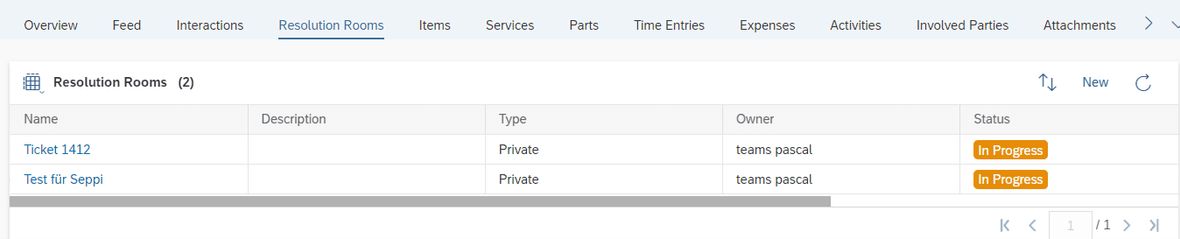

Here too, there are various types of use, with the rooms being significantly more open than the workspaces:
- Internal and external
- Private or Public, where Microsoft Teams can be made accessible to all individuals within the organisation without invitation.
- Exclusively Teams: Due to the expanded possibilities, all Resolution / Deal Rooms are created as separate instances.
This not only facilitates the easy creation of channels but also allows for the straightforward management of multiple teams for a ticket / opportunity. As with the workspaces, the channels are also provided with an embedded link to SAP C4C, allowing for the same editing capabilities as directly in SAP C4C. Another advantage here: since external participants can easily be added, it greatly facilitates collaboration, especially when considering employees from suppliers or customers.
The same technical limitations apply here as have already been shown with the workspaces: With the 2305 release, the exchange of attachments, the continuation of posts from Microsoft Teams in SAP C4C, the automatic deletion of channels from SAP C4C, and SSO login are not possible.
Appointment / Visit as a Microsoft Teams Meeting
Both types are available in Microsoft Teams. With an additional add-on, notes can even be added.

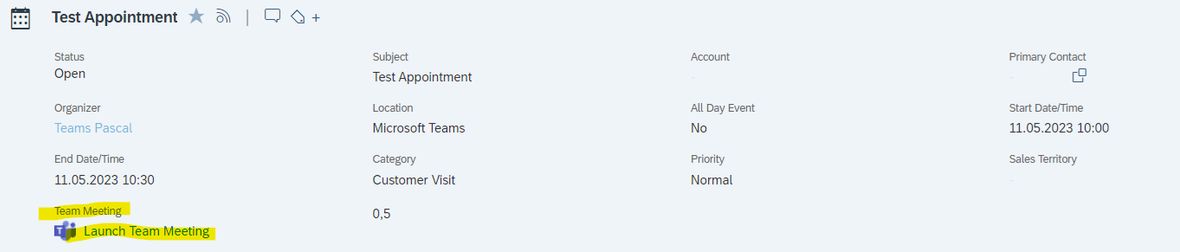
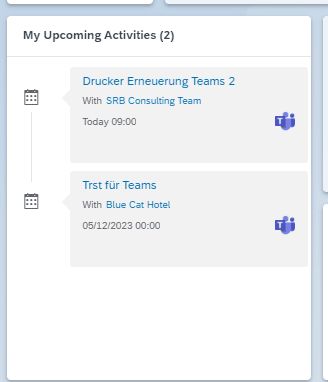
This function allows Microsoft Teams meetings to be easily created from SAP C4C, and SAP C4C objects can be edited from meetings via the sidebar.
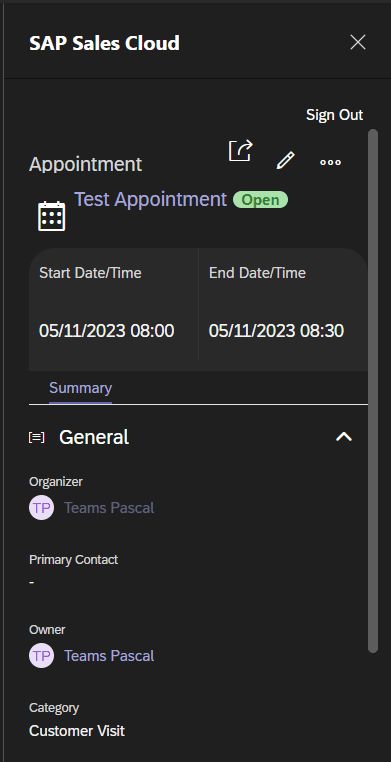
Information from appointments and dependent objects can thus be viewed and edited directly in the Microsoft Teams meeting. Additionally, as mentioned earlier, invitations to meetings can be sent directly from SAP C4C, saving the detour through Microsoft Outlook.
Outgoing calls via Microsoft Teams
When telephony is activated in Microsoft Teams, phone numbers are also available that can be called directly with a click through Microsoft Teams.
Unfortunately, with the 2305 release, full integration of this function in SAP C4C is not possible. SAP refers to the non-existent interface from Microsoft and the lack of SSO login.
Integration with great potential
In summary, the integration of Microsoft Teams into the SAP Sales & Service Cloud offers companies the opportunity to optimise their collaboration and work more efficiently. This solution is particularly valuable for companies looking to improve their sales and customer service processes. With seamless integration, teams can collaborate better and provide better customer support.
So if you are looking for a solution to optimise your business processes and improve collaboration, the integration of Microsoft Teams into the SAP Sales & Service Cloud could be the right choice for your company. We at SRB are happy to assist you.

